A Practical Guide to Providers
The application you work on
The application you work on
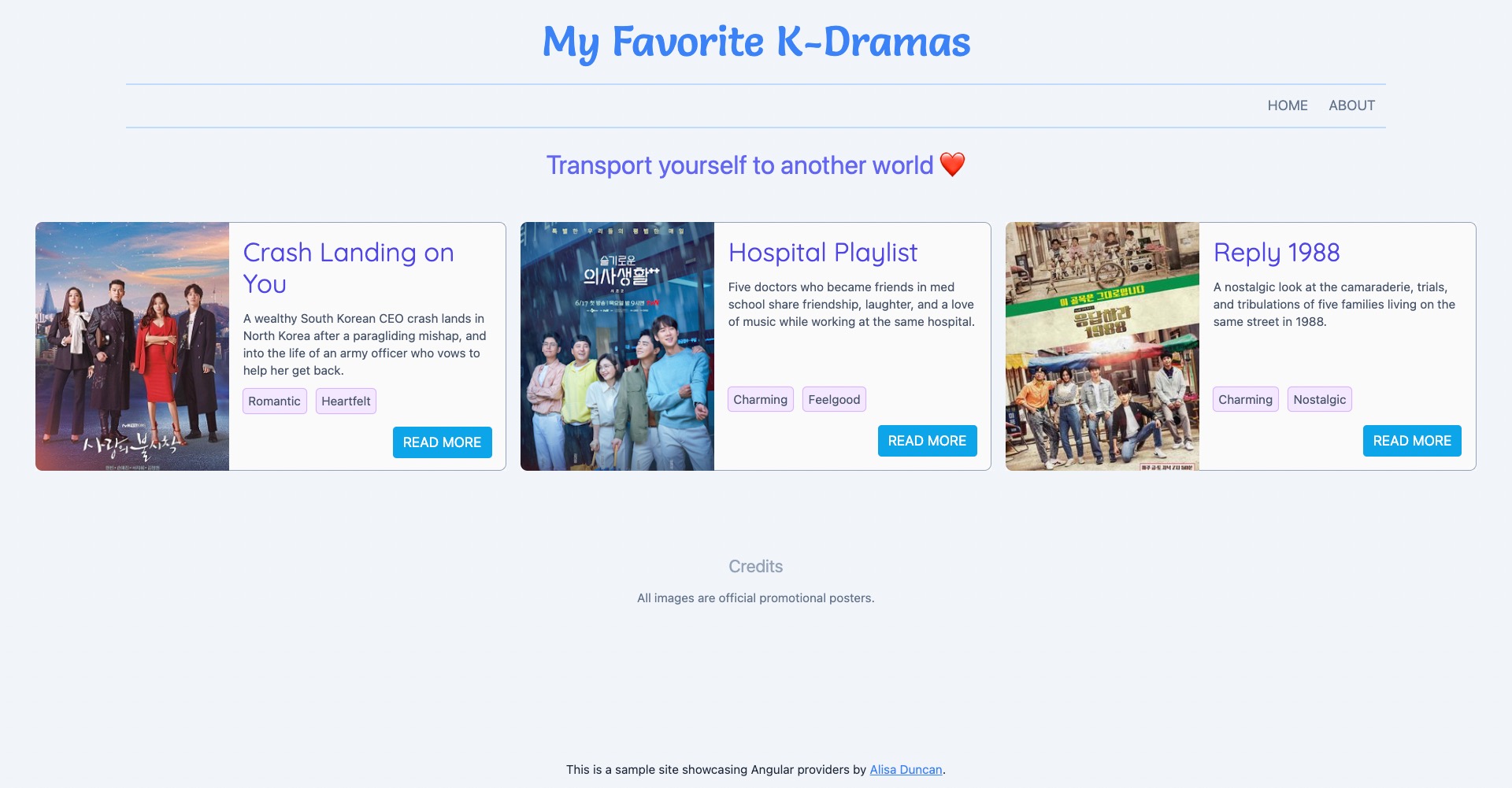
The application you work on

🤯
There are so many ways to incorporate providers in Angular!
How do we start?!?
You don't need to be an expert. Let's get practical!

Alisa Duncan
- Senior Developer Advocate Okta
- Angular GDE
- Fan of K-Dramas
What are providers in Angular?
What are providers in Angular?
A provider is an instruction to the Dependency Injection system on how to obtain a value for a dependency. Most of the time, these dependencies are services that you create and provide.

Dependency Injection
Dependency Injection
Decouples object creation from using the object - promotes loose coupling
Dependency Injection
When we use dependency injection, we are taking advantage of a software design principle called Dependency Inversion
SOLID
By decoupling dependency creation from the consumer, you can change the dependency code without changing the consuming code.

Overview of Angular's DI system
Overview of Angular's DI system
- The
injectoris the main mechanism for handling DI in Angular. It creates the dependencies, maintains them, and hands you the dependency you're looking for. Very snazzy. - To use the
injector, we need to register our dependencies
Angular DI Process Analogy
- You register an instruction with the barista by asking for "A cold cup of iced Americano."
- The barista manages all the orders and serves the correct order.
But what if there are multiple baristas?
Angular has multiple injectors
When should you use Angular's DI system and providers?
As much as possible, ideally always
What I'll cover
- Providing dependencies
- Resolving dependencies
- Injection tokens
- Fine-grained configuration of providers
- Applying the different principles to practical examples
Providing dependencies
Providing dependencies
- At creation time using the
@Injectable()decorator - The
providersarray
Provide at creation time
          @Injectable({
            providedIn: 'root'
          })
          export class DramaService {

          }
Recommended in Angular v6+ to support tree-shaking
Provide using the providers array
          @NgModule({
            providers: [DramaService]
          })
          export class AppModule {
          }
Access dependencies
          @Component({
            selector: 'app-kdramas'
          })
          export class KDramasComponent {

            constructor(private dramaService: DramaService) {
              // singleton instance of DramaService
              // is injected into this component
            }
          }
Access dependencies
          @Component({
            selector: 'app-kdramas'
          })
          export class KDramasComponent {
            constructor() {
              const dramaService: DramaService = inject(DramaService);
            }
          }
Available in Angular v14+
You can register providers
- At the root
- A different module
- In an element
Providing to different injectors
Providing to different injectors
The injector you provide to affects the scope and lifetime of the provider.
Providing to different injectors
            @NgModule({
              providers: [DramaService] // provide to ModuleInjector
            })
            export class DramasModule { }
            @Component({
              selector: 'app-drama',
              providers: [DramaService] // provides to ElementInjector
            })
            export class DramasComponent { }
              const routes: Routes = [{
                path: 'dramas',
                loadChildren: () => import('./dramas/dramas.module').then(m => m.DramasModule),
                providers: [DramaService] // provides to EnvironmentInjector
              }];
Available in Angular v14+
            @Injectable({
              providedIn: 'root' // specify injector - a module, 'platform', or 'any'
            })

Depends on scope and lifetime desired
Angular resolves which dependency you get via a resolution process
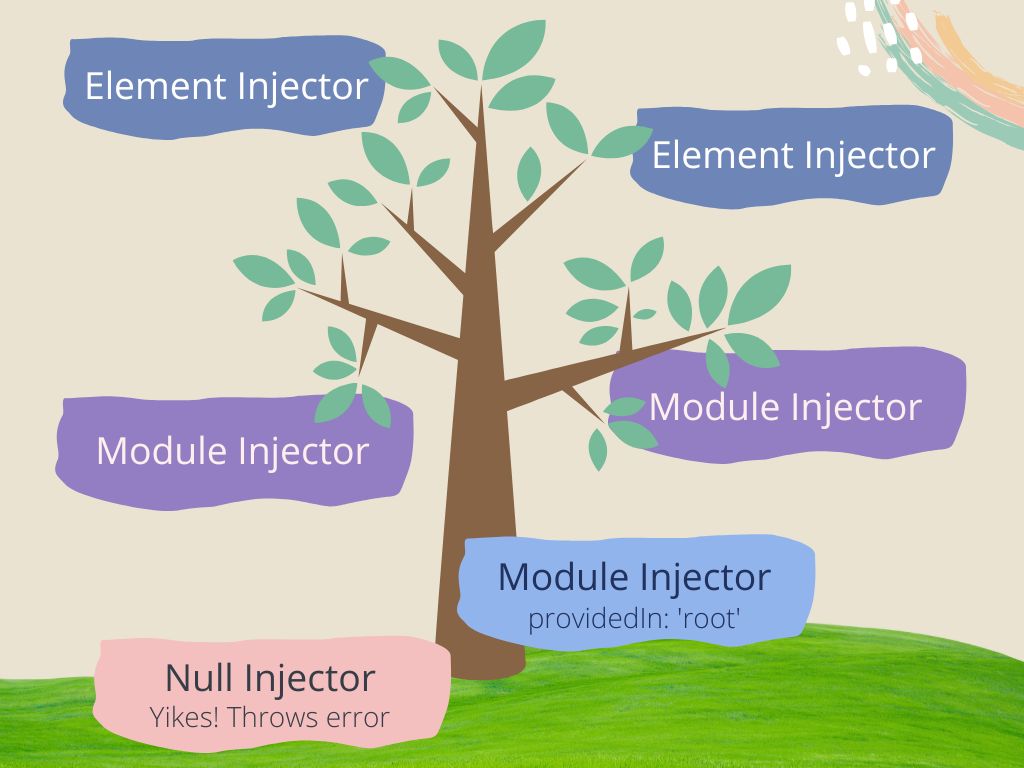
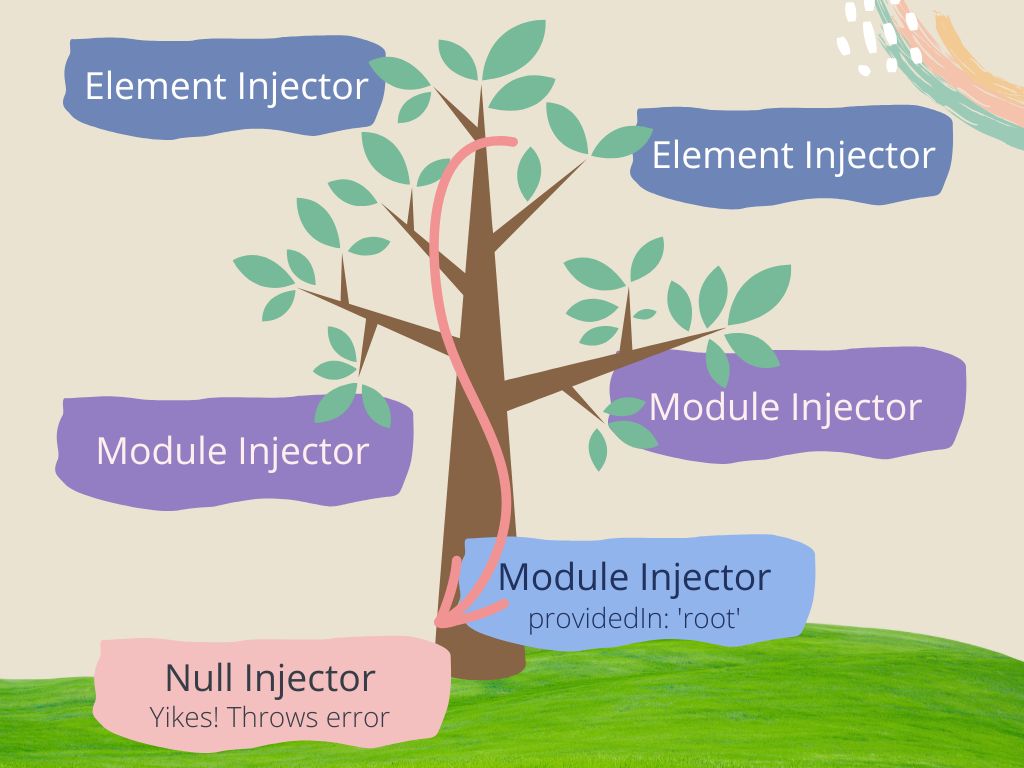
Angular team announced new debugging capabilities that help you identify where a dependency comes from
Prefer simple
Injection tokens
Injection Token Analogy
- The ticket is the injection token. We use it as a reference to the dependency we're looking for.
Injection tokens are a way we can add dependencies to values such as text, numbers, and objects.
Allows for injectable dependencies to config objects and global objects, such as Web APIs!
You can also add dependencies to abstractions that don't have a runtime definition, such as interfaces.
Injection Tokens
              interface Drama {
                // members here
              }

              class DramaComponent {
                constructor(private drama: Drama) { }
              }
⛔️
No runtime representation
With injection tokens we can have interfaces as dependencies

Create an injection token
Source from angular/packages/core/src/di/injection_token.ts
Use an injection token
When to use Injection Tokens
- As an abstraction for your dependency
- When you want to provide values & plain objects
- Examples of injection tokens in Angular:
APP_INITIALIZER,DOCUMENT
We can unleash the full power of injection tokens and Angular's DI system by configuring the providers array

The value in configuring the providers array
- You can change the underlying logic of a dependency without touching the consumer
- Configuring providers gives you more fine-grained control
Configuring the providers array
          @Component({
            selector: 'app-kdrama'
            providers: [
              KDramaService
            ]
          })
          export class KDramaComponent { }
Configuring the providers array
          @Component({
            selector: 'app-kdrama'
            providers: [
              { provide: KDramaService, howToProvide?: SpecialDependency }
            ]
          })
          export class KDramaComponent { }
Configuration options for providers array
useClass- Associate a new instance of a class to the provideruseExisting- Alias an existing instance to the provideruseValue- Associate a fixed valueuseFactory- Create a dependency using a factory method
Let's add features to the K-Drama app!
💝 Refine 💝
Streamline the calls made to drama service for the dashboard view.
✨ Enhance ✨
The suggestion engine for suggested K-Dramas should take the user's streaming service into account.
💝 Refine 💝
Streamline drama service for the dashboard
💝 Refine 💝
- Streamline drama serviceOriginal implementation
            @Injectable({
              providedIn: 'root'
            })
            export class DramaService {
              public getDramas(): Drama[] {
                // returns all dramas with a subset of details
              }

              public getDrama(id: number): DramaDetail|undefined {
                // returns the requested drama details
              }
            }
            @Component({
              selector: 'app-dashboard'
              template: ``
            })
            export class DashboardComponent {
              constructor(private dramaService: DramaService) { }
            }
💝 Refine 💝
- Streamline drama service
          export abstract class DashboardService {
            abstract getDramas: () => [];
          }
💝 Refine 💝
- Streamline drama service
          @NgModule({
            declarations: [ ],
            imports: [ ],
            providers: [
              { provide: DashboardService, useExisting: DramaService },
            ],
            bootstrap: [AppComponent]
          })
          export class AppModule { }
💝 Refine 💝
- Streamline drama service
          @Component({
            selector: 'app-dashboard'
            template: ``
          })
          export class DashboardComponent {
            constructor(private dashboardService: DashboardService) { }
          }
💝 Refine 💝
- Streamline drama serviceThe useExisting configuration option helped us narrow the API surface of an existing service.
✨ Enhance ✨
Take streaming platform into account within the suggestion engine
✨ Enhance ✨
- Add streaming engineOriginal implementation
          @Injectable({
            providedIn: 'root'
          })
          export class SuggestionService {
            public getSuggestions(id: number): Drama[] {
              // return suggested dramas based on the drama id passed in
            }
          }
✨ Enhance ✨
- Add streaming engine✨ Enhance ✨
- Add streaming engine✨ Enhance ✨
- Add streaming engine✨ Enhance ✨
- Add streaming engine✨ Enhance ✨
- Add streaming engine
            @Injectable({
              providedIn: 'root'
            })
            export class MyFaveKDramasSuggestionService implements SuggestionService {

              public getSuggestions(id: number): Drama[] {
                // return suggested dramas based on the id of the drama
                // available on MyFaveKDramas streaming service
              }
            }
            @Injectable({
              providedIn: 'root'
            })
            export class NetflixSuggestionService implements SuggestionService {

              public getSuggestions(id: number): Drama[] {
                // return suggested dramas based on the id of the drama
                // available on Netflix streaming service
              }
            }
✨ Enhance ✨
- Add streaming engine
          export function suggestedDramasFactory() {
            return (config: UserConfig) =>
              config.streamingService === 'myfavekdramas' ?
                new MyFaveKDramasSuggestionService() :
                new NetflixSuggestionService();
          }
✨ Enhance ✨
- Add streaming engine
          @Component({
            selector: 'app-suggested-drama',
            template: ``,
            providers: [{
              provide: SUGGESTED_DRAMAS_TOKEN,
              useFactory: suggestedDramasFactory(),
              deps: [USER_CONFIG_TOKEN]
            }]
          })
          export class SuggestedDramasComponent implements OnInit {
            public suggestedDramas: Drama[] = [];

            constructor(
              @Inject(SUGGESTED_DRAMAS_TOKEN) private svc: SuggestionService
            ) { }

            public ngOnInit(): void {
              const id = 123; // from ActivatedRoute
              this.suggestedDramas = this.svc.getSuggestions(id);
            }
          }
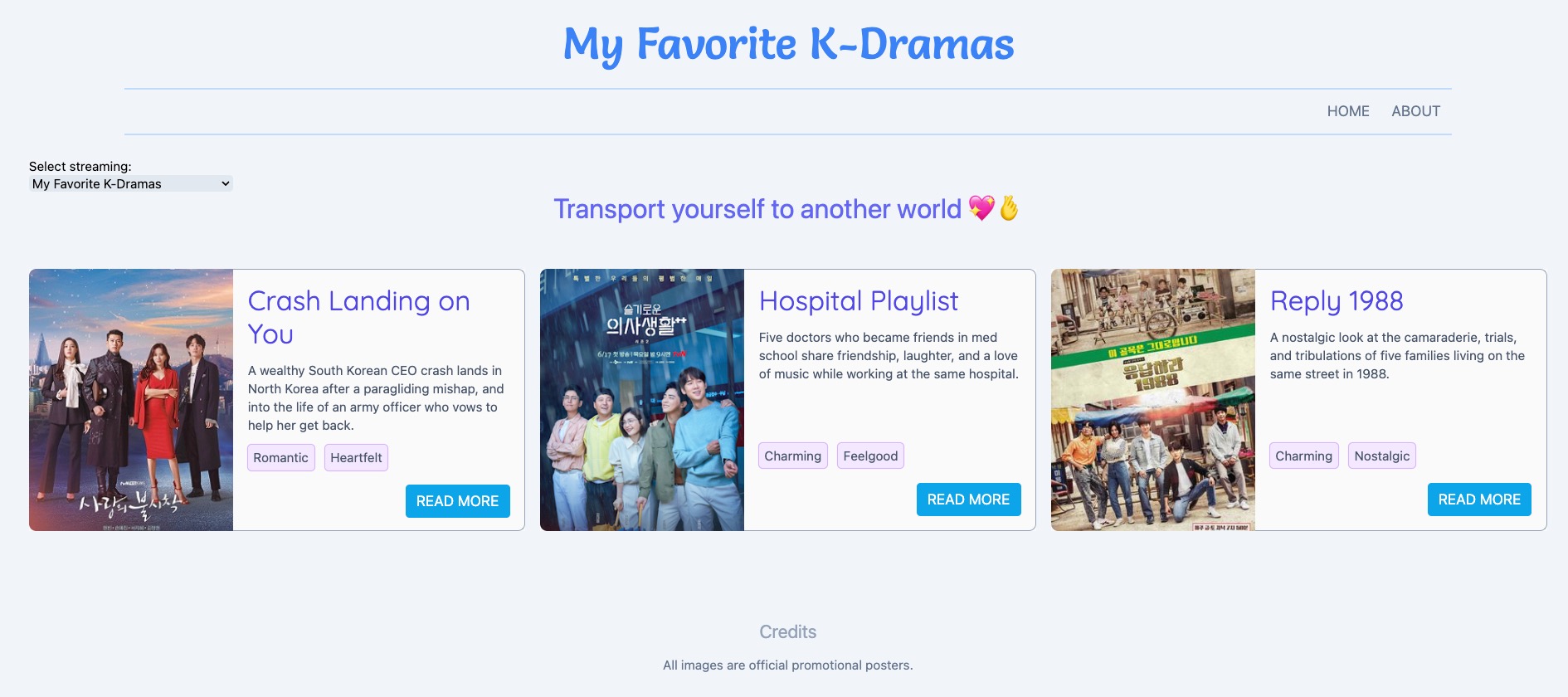

✨ Enhance ✨
- Add streaming engineThe useFactory configuration option allows us to define a factory method.
This is where the instance to use at runtime is determined, based on a dynamic value.
We did it!
Keep providers practical
- Angular's DI system is extremely powerful
- Many configuration options lead to complexity
- Choose simple, straightforward ways to provide dependencies
You got this!

Learn more

Post about practical DI uses in Angular
bit.ly/ADAngularDI-okta
Angular DI docs
angular.io/guide/dependency-injection-overview